

Yes, you can register a sole trader business entirely online through biznes.gov.pl, CEIDG or the mObywatel app. The process is free and usually takes 15–30 minutes, with your register entry generally becoming active on the next working day. To sign the application, you need a Trusted Profile, an electronic ID card with a chip or a qualified electronic signature.
In brief:
- Registering a sole trader business online usually takes 15–30 minutes, and your entry generally becomes active on the next working day.
- Prepare your personal details, NIP, REGON, addresses, business name and PKD codes to avoid delays and errors in your application.
- To sign the application electronically, you need a Trusted Profile, an electronic ID card with a reader or a qualified electronic signature.
- It is worth discussing your choice of tax scheme with an accountant, especially if you have several PKD codes or plan to register for VAT.
- After registration, you must register with ZUS, submit a VAT application, open a business bank account and choose how to manage your bookkeeping to complete the formalities.
Contents
- What to prepare before registering as a sole trader online
- Online sole trader registration through biznes.gov.pl: step by step
- Registration through mObywatel and banks: when it is the better option
- What happens after you register as a sole trader online
- Common mistakes when registering as a sole trader online
- When to register your business yourself and when to use an accountant
- Online sole trader registration with Akwadrat
- Sources
- Frequently asked questions
What to prepare before registering as a sole trader online
Before you open the form, gather all the information you need. The CEIDG-1 application will not accept blank required fields, and making corrections after submission takes longer than preparing properly in advance.
Make sure you have the following to hand:
- your PESEL number and the details from your identity card,
- your NIP and REGON numbers, if you already have them from a previous business,
- your home address and the address from which you will run your business (these can be different),
- your business name, which must include your first name and surname,
- the PKD codes describing your business activities,
- your choice of tax scheme: progressive income tax, flat-rate income tax or lump-sum tax on recorded revenue.
You can find PKD codes using the search tool on biznes.gov.pl by entering keywords for your industry. Adding several additional codes alongside your main code costs nothing and gives you operational flexibility, without having to update your entry immediately when you expand your services.
Professional tip: A rushed decision about your tax scheme can put a strain on your finances for the entire tax year. Before you click “submit”, discuss your choice with an accountant, especially if you expect different types of revenue.
Finally, check that you have an active Trusted Profile, a mObywatel account with mDowód or an electronic ID card with an NFC reader. Without one of these tools, you will not be able to sign the application electronically.
Online sole trader registration through biznes.gov.pl: step by step
The instructions below cover the entire process, from opening the website to confirming your register entry. You can follow the steps as you read.
- Go to biznes.gov.pl and select “Register a business”, then “Sole trader business”.
- Sign in through login.gov.pl. You have three options: a Trusted Profile, an electronic ID card with a reader or online banking, if your bank participates in the login.gov.pl system.
- Launch the CEIDG-1 application wizard. The service automatically prepares the form and forwards the details to ZUS, GUS and the tax office once you submit it.
- Enter your basic details: business name, home address, business address and start date. The start date can be the day you submit the application or a future date, but not an earlier one.
- Select your PKD codes. Enter the main code first, then add any additional codes below. A common mistake is to select just one code when your business actually covers a wider range of services.
- Select your tax scheme and record-keeping method (e.g. a tax revenue and expense ledger).
- Complete the ZUS details if you want to register yourself as a contribution payer as part of the same application.
- Sign the application electronically. A Trusted Profile is sufficient in most cases. An electronic ID card or qualified electronic signature is worth choosing if you already have the necessary equipment and want to avoid signing in through a third party.
- Submit the application and save the reference number.
- Download the Official Acknowledgement of Receipt (URP). This document confirms that your application has reached the system; keep it in your records.
- Check your entry using the CEIDG search tool by entering your NIP or surname to verify its status.
The entire online process takes 15–30 minutes, from signing in to submitting the application. Your register entry usually becomes active on the next working day, although in practice some users can find their profile in the search results on the same day. If you would like the full instructions with additional screenshots, the CEIDG registration guide explains several of these steps in more detail.
Registration through mObywatel and banks: when it is the better option
The wizard on biznes.gov.pl is not the only way to register with CEIDG. The mObywatel app lets you complete and sign CEIDG-1 directly from your phone, without signing in on a computer.
- mObywatel requires an active mDowód and Trusted Profile; this option works well if you want to complete the formalities in a few minutes while waiting in a queue or travelling on the metro.
- Banks (some larger institutions) offer sole trader registration alongside opening a business bank account, which speeds up your initial financial setup, but the process rarely includes choosing a tax scheme or registering for VAT.
- The wizard on biznes.gov.pl remains the best choice if you plan to include additional ZUS registrations from the outset or want full control over every field in the form.
Your choice depends on whether your priority is speed or completing everything in a single application.
What happens after you register as a sole trader online
The CEIDG-1 application also serves as your business registration application, identification notification to the tax office and registration as a contribution payer with ZUS. NIP and REGON numbers are assigned automatically, and you will usually receive your REGON number within a few working days.
However, this does not complete all your formal obligations. You still need to:
- register with ZUS (using form ZUS ZUA or ZZA) within 7 days of starting your business, if you did not do so in the CEIDG-1 application itself,
- register for VAT using form VAT-R if your business requires this from day one or you expect to exceed the exemption threshold,
- open a business bank account; although the law does not always require one, it makes managing your business finances easier in practice,
- activate your e-Doręczenia electronic delivery mailbox, which is gradually replacing traditional correspondence with public authorities,
- choose how to manage your bookkeeping and the person or accounting firm that will handle it.
Professional tip: The 7-day deadline for registering with ZUS runs from the date you actually start your business, not the date of registration in CEIDG. If these dates differ, note both and set yourself a reminder.
Common mistakes when registering as a sole trader online
Most problems can be resolved without visiting an office, but some take more time than they should.
- Not considering all your tax options before seeking advice: if you are unsure whether lump-sum tax on revenue or progressive income tax would be more beneficial, ask an accountant before submitting the application, not afterwards.
- One PKD code instead of several: without additional codes, you will need to update your entry as soon as you expand your services. This is free, but it takes time.
- No active electronic signature: if you do not have a Trusted Profile, you can set one up online through your online banking in a few minutes, without visiting an office.
- Application rejected by CEIDG: the most common reasons are an incorrect PESEL number, an address that does not match the PESEL register or an empty required field. The system usually identifies the specific error, so you can correct it and resubmit.
- Changing details after registration: you can update your entry, including suspending your business, using the same CEIDG-1 form after signing in to your account.
When to register your business yourself and when to use an accountant
Registering online yourself works well when your situation is straightforward: one PKD code, a clear decision to use lump-sum tax on revenue and no plans to register for VAT in the first month. In these cases, you can complete the CEIDG-1 form yourself without the risk of an error.
Things become more complicated when you have several PKD codes with different lump-sum tax rates, need to decide whether to register for VAT voluntarily or plan to hire employees in the first few months. In these circumstances, selecting just one wrong option on the form can mean paying higher tax for the entire year. Akwadrat has provided accounting services for small businesses since 2012 and sees new business owners making the same mistakes time and again. A consultation before submitting your application usually takes less time than correcting a tax decision afterwards.
— Akw
Register a sole proprietorship online with Akwadrat
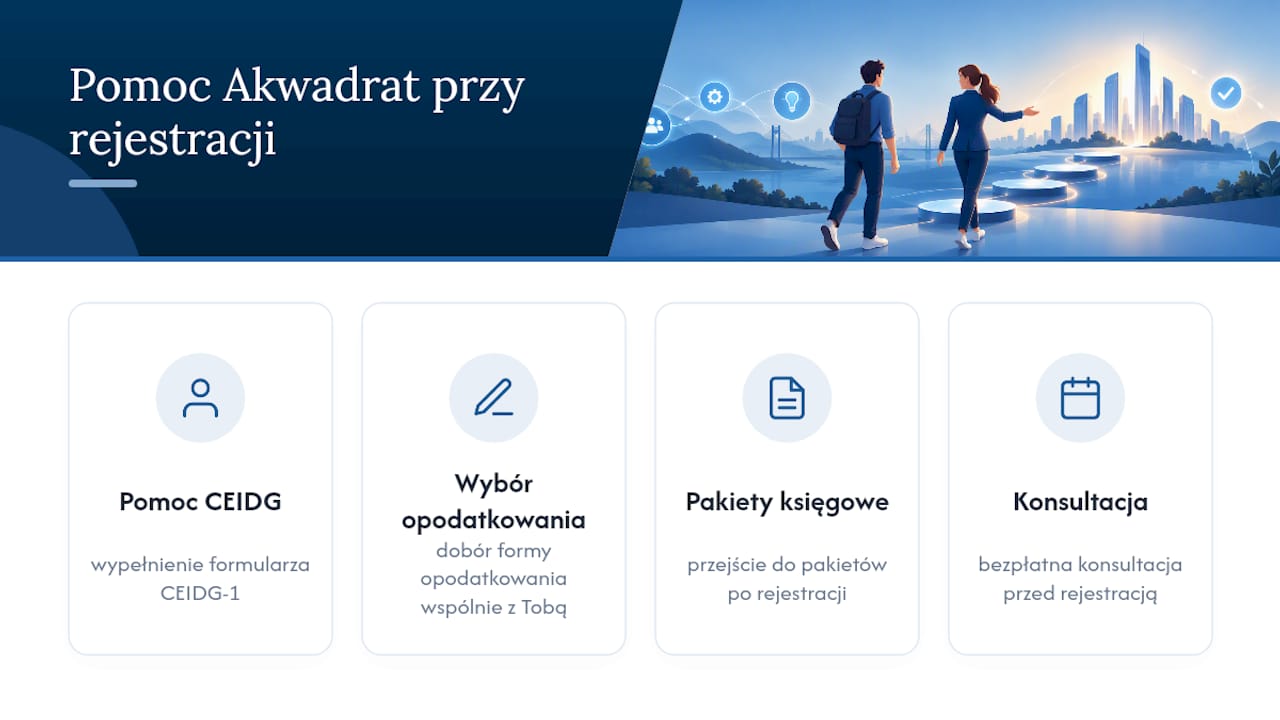
If you want to be sure your CEIDG-1 form is completed correctly from the very first click, Akwadrat offers direct assistance with registering a sole proprietorship in CEIDG as part of its services.
The team works with you to choose your tax regime and PKD business activity codes, rather than deciding for you, reducing the risk of making an unsuitable choice at the outset. Once registered, you can move straight to one of the accounting packages listed on the pricing page.
Instead of guessing whether your application is correct, book a free consultation and explore the full range of Akwadrat accounting services available after you register your business.
Sources
Before submitting your application, it is worth keeping these official government websites handy:
- Starting your own business — a step-by-step guide
- Register your business in CEIDG
- Business in mObywatel — start a business through the app
Frequently asked questions
Can I set up a sole proprietorship online?
Yes, you can complete the entire process online through biznes.gov.pl, CEIDG or the mObywatel app, without visiting an office. All you need to sign the application is a Trusted Profile (Profil Zaufany), an e-ID card or a qualified electronic signature.
How do I register a sole proprietorship step by step?
Log in to biznes.gov.pl using login.gov.pl, complete the CEIDG-1 application wizard with your personal details, address, PKD codes and chosen tax regime, then sign and submit the form. After submitting it, download the Official Acknowledgement of Receipt and check your entry in the CEIDG search tool.
How long does it take to set up a sole proprietorship online?
Completing and submitting the application usually takes 15–30 minutes, and your register entry is typically active by the next working day. Registering through a municipal office takes longer, as the entry appears in the system after 1–3 working days.
Where can I register a sole proprietorship?
You can register through the biznes.gov.pl portal, the mObywatel app or, at some banks, as part of opening a business account. If you need help choosing your tax regime and PKD codes, Akwadrat handles sole proprietorship registration in CEIDG as part of its accounting services.
What documents do I need to register a sole proprietorship online?
You only need your PESEL number, the details from your identity card, your home and business addresses, a business name that includes your first name and surname, and your chosen PKD codes. You also need an active Trusted Profile, mDowód or e-ID card to sign the application electronically.
Recommended reading
- Choosing a business structure – sole proprietorship or single-member limited liability company?
- VAT registration – rules, drawbacks and benefits
- Switching from the tax revenue and expense ledger (PKPiR) to full accounting in 2026 – a practical guide
- CEIDG step by step: how to start your own business in 2025